
Kia Picanto (JA): Manual Transaxle Control System / Shift Lever
Components and components location
| Components |
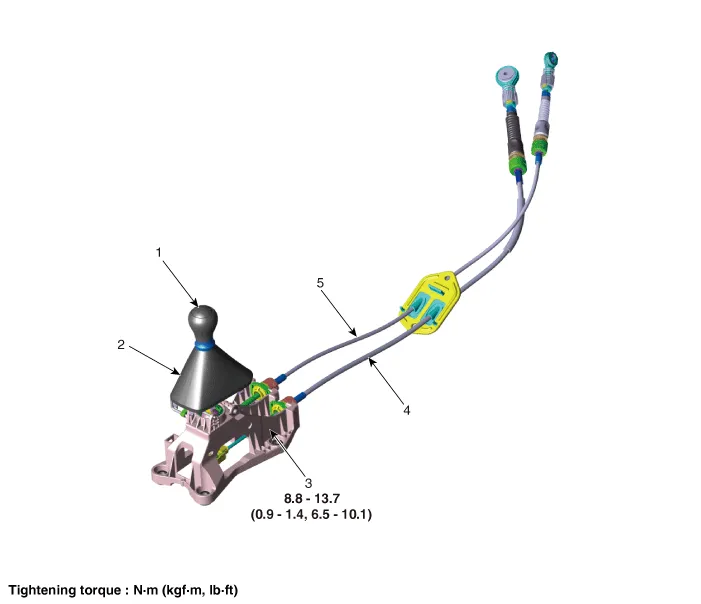
| 1. Knob 2. Boots 3. Shift lever assembly | 4. Shift cable 5. Select cable |
Repair procedures
| Inspection |
| 1. | Check for proper operation of control shaft lever when operated (1st, 2nd, 3rd, 4th, 5th, R). |
| 2. | When the shift lever is engaged to "R", check that the skirt is in proper position. |
| 3. | If the gear feels stiff, adjust the control cable length again.
(Refer to Manual Control System - "Control Cable")
|
| Removal |
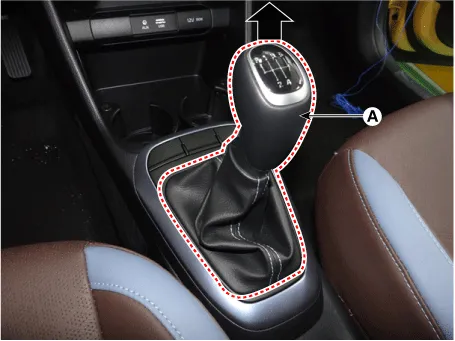
| 1. | Remove the knob (A) by pulling it in the direction of arrow.
|
| 2. | Remove the floor console assembly.
(Refer to Body “Floor Console Assembly”)
|
| 3. | Remove the snap pin (A) and then remove the select cable from the shift lever pin. |
| 4. | Remove the wiring fixing clip (B) from the shift lever.
|
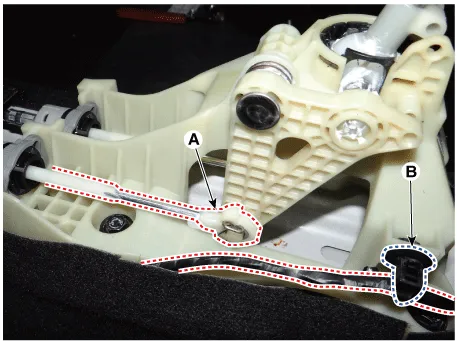
| 5. | Remove the cable sockets (A) from the shift lever.
|
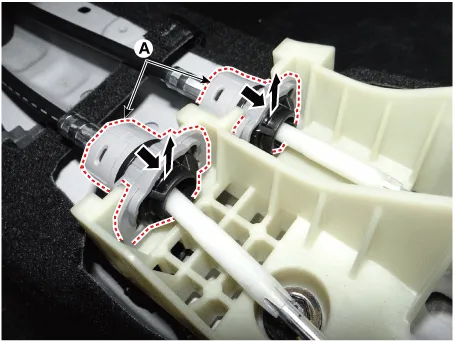
| 6. | Remove the shift cable (A) from the shift lever.
|

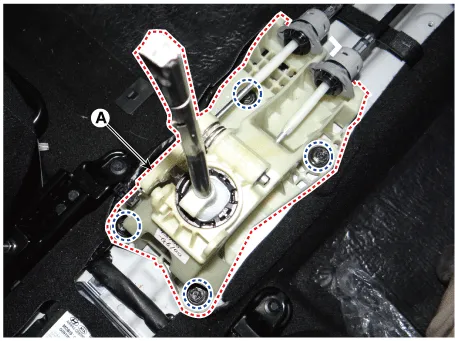
| 7. | Remove the shift lever assembly (A) after loosening the bolts.
|
| Installation |
| 1. | Install in the reverse order of removal. |
Components and components location Components Location 1. Control shaft complete Repair procedures Removal 1.Shift the gear to "neutral".
Components and components location Components 1. Knob 2. Boots 3. Shift lever assembly 4. Shift cable 5. Select cable 6. Retainer Repair procedures Inspection 1.
Other information:
Kia Picanto (JA) 2017-2026 Service & Repair Manual: Emergency Call (eCall) Unit
Components and components location Component The eCall unit for AVN is equipped in AVN head unit. Repair procedures Removal Carry out the Test Mode in the following cases.– Replacing the eCall unit– Replacing the Bac
Kia Picanto (JA) 2017-2026 Service & Repair Manual: Power Door Lock Module
Components and components location Components 1. Door lock/unlock knob cable 2. Door inside handle cable 3. Door latch assembly Repair procedures Inspection • When removing with a flat-tip screwdriver or remover, wrap protective tape around the tools to prevent damage to
Categories
- Manuals Home
- Kia Picanto Owners Manual
- Kia Picanto Service Manual
- Normal Condition
- Charging System
- Cooling System
- New on site
- Most important about car
