
Kia Picanto (JA): Fuses / Fuse/relay panel description
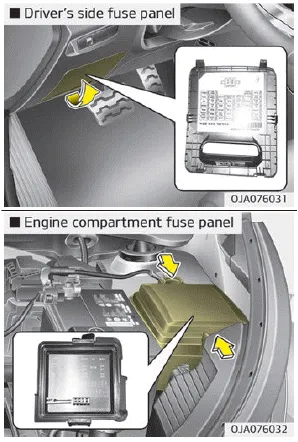
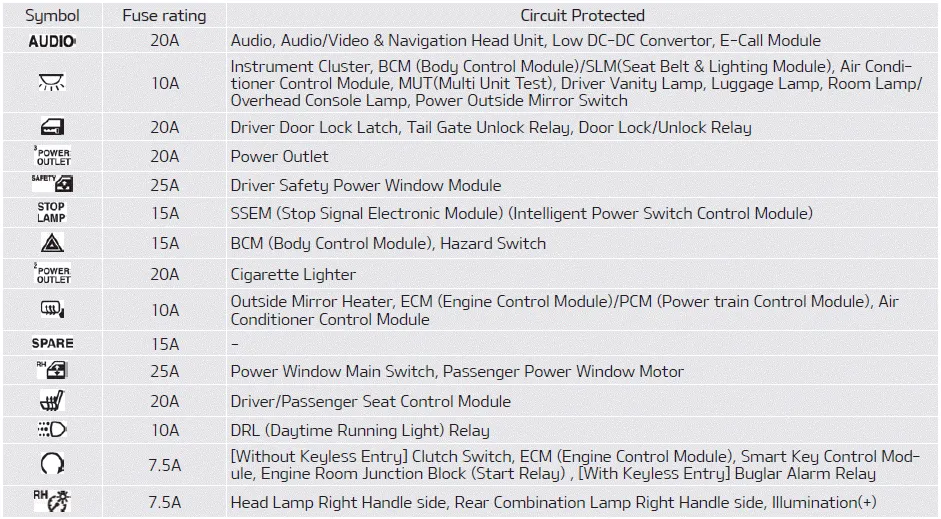
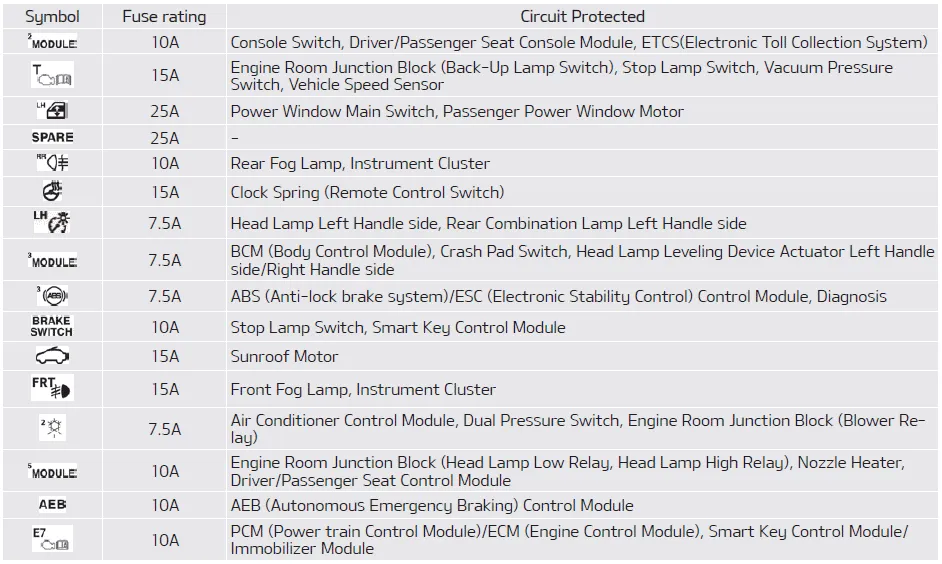
Inside the fuse/relay panel covers, you can find the fuse/relay label describing fuse/relay name and capacity.
NOTICE
Not all fuse panel descriptions in this manual may be applicable to your vehicle. It is accurate at the time of printing. When you inspect the fuse panel in your vehicle, refer to the fuse panel label.
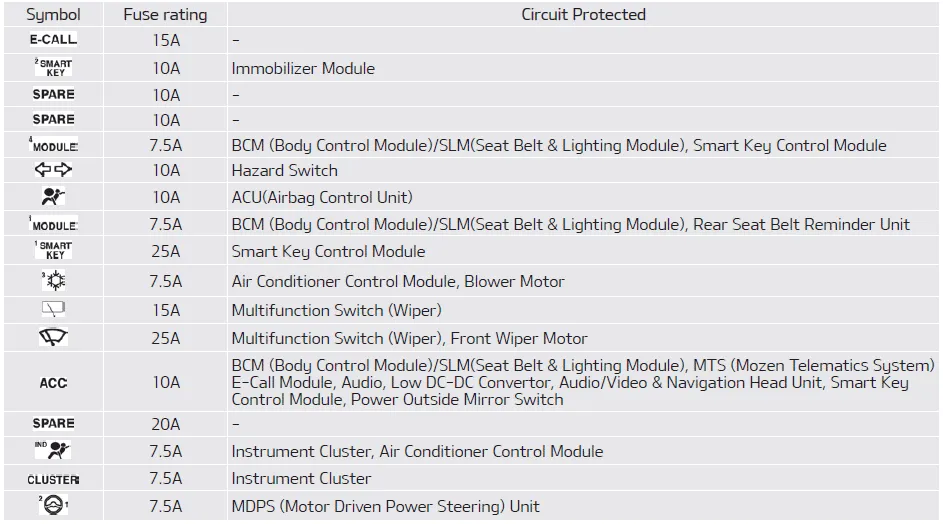
Driver’s side fuse panel
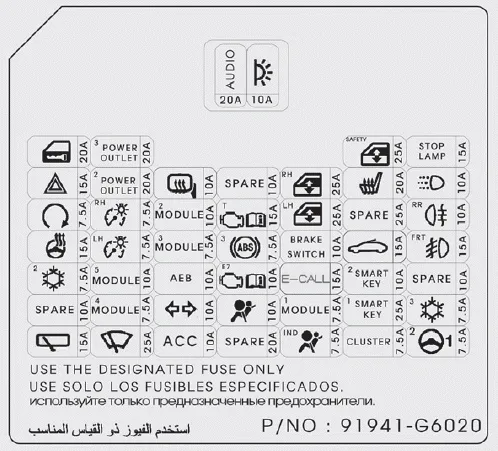
Instrument panel (Driver’s side fuse panel)
Engine compartment fuse panel
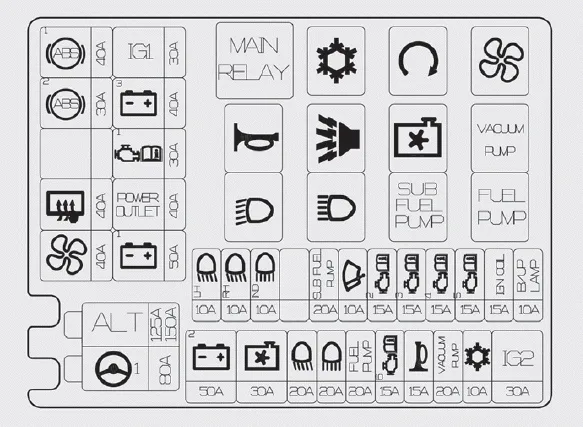
Engine room compartment fuse panel (Kappa 1.0L/1.2L MPI Engine (Gasoline))
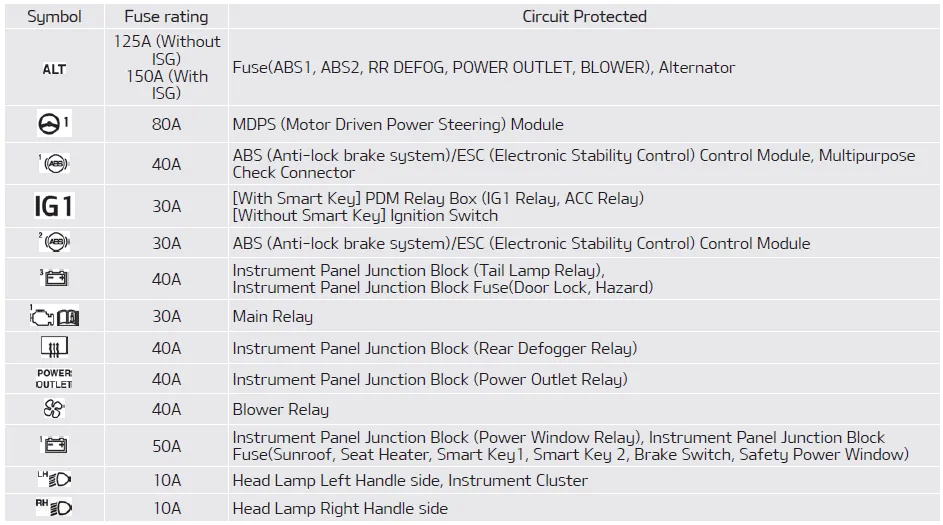
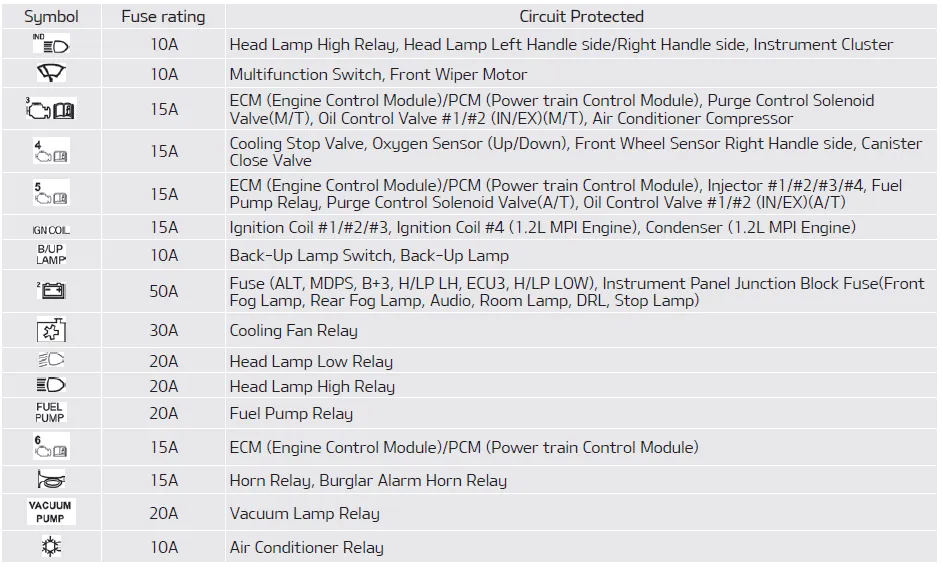

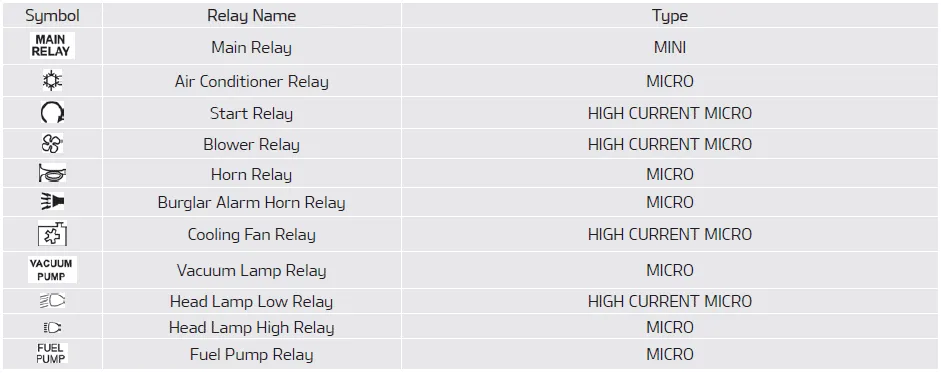
Relay (Kappa 1.0L/1.2L MPI Engine (Gasoline))
Engine room compartment fuse panel (Kappa 1.0L MPI Engine (FFV))
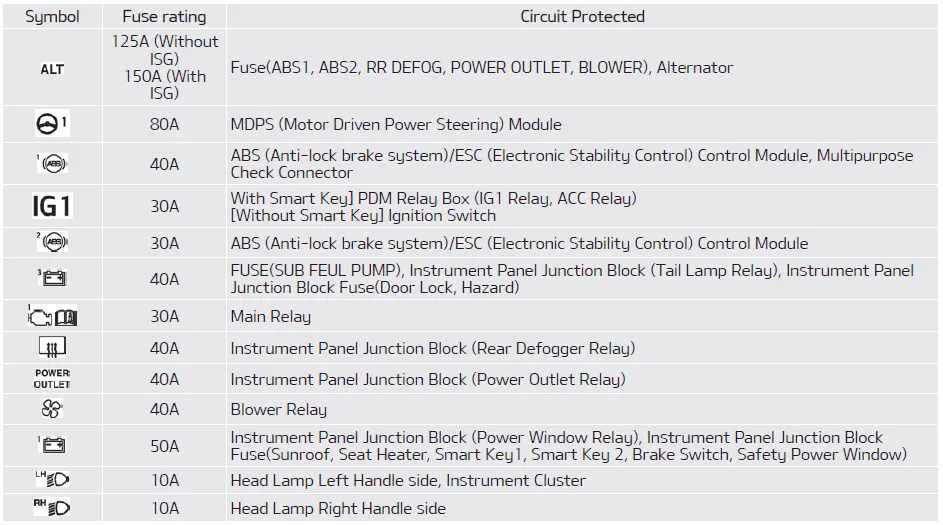
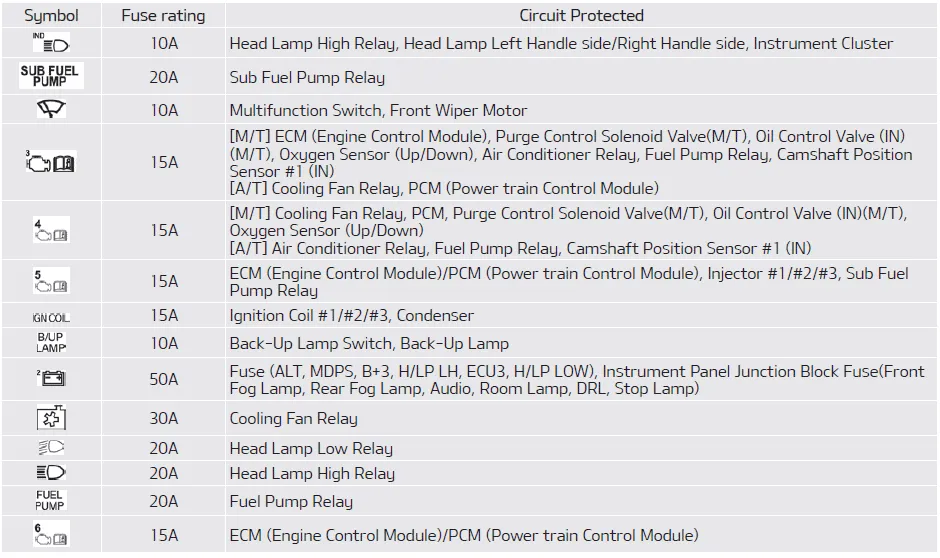

Relay (Kappa 1.0L MPI Engine (FFV))

1. Turn the ignition switch and all other switches off. 2. Remove the fuse panel cover by pressing the tab and pulling the cover up. When the blade type fuse is disconnected, remove it by using the clip designed for changing fuses located in the engine room fuse box.
Other information:
Kia Picanto (JA) 2017-2026 Service & Repair Manual: Headlamps
Description and operation Description BI-FUNCTION 1. Definition – A headlamp with integrated functions of high and low beam – The light is controlled by rotating the shield inserted to the lens.
Kia Picanto (JA) 2017-2026 Service & Repair Manual: Heating,Ventilation, Air Conditioning
Specifications Specification Air conditioner Item Specification Compressor Type 5VSe09(Variable Dispacement Swashplate) 5VS09 Oil type & Capacity FD46XG(PAG) 100±10g Pulley type POLY V RIBBED BEIT 6PK Displacement 90cc/rev Condenser Heat rejection 9,890 -3% kcal/h
Categories
- Manuals Home
- Kia Picanto Owners Manual
- Kia Picanto Service Manual
- Coolant
- Timing Chain
- Body Electrical System
- New on site
- Most important about car
