
Kia Picanto (JA): Brake System / Brake Pedal
Components and components location
| Components |
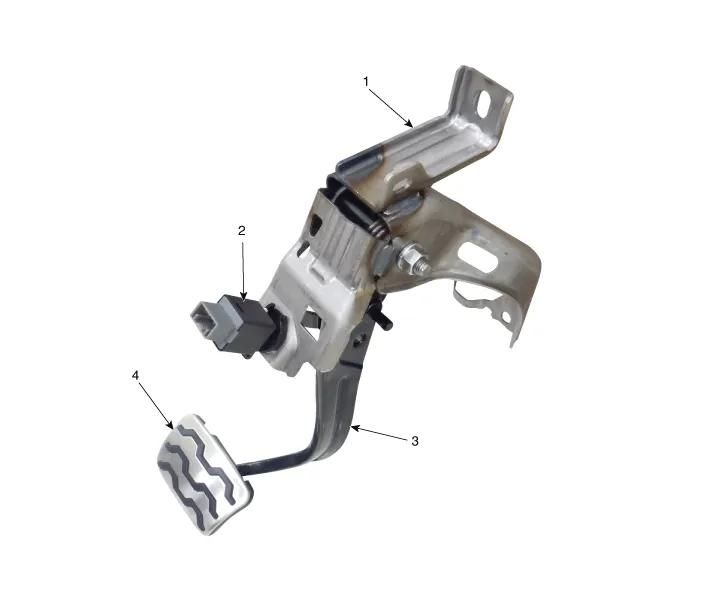
| 1. Brake member assembly 2. Stop lamp switch | 3. Brake Pedal Arm Assembly 4. Brake pedal Pad |
Repair procedures
| Removal |
| 1. | Switch "OFF" ignition and disconnect the negative (-) battery terminal. |
| 2. | Remove the crash pad lower panel.
(Refer to Body - "Crash Pad Lower Panel")
|
| 3. | Remove the steering column.
(Refer to Steering System - "Steering Column and Shaft")
|
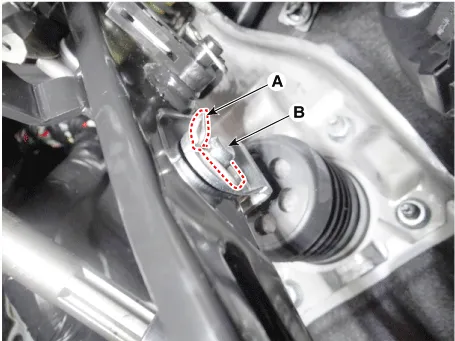
| 4. | Remove the snap pin (A) and clevis pin (B).
|
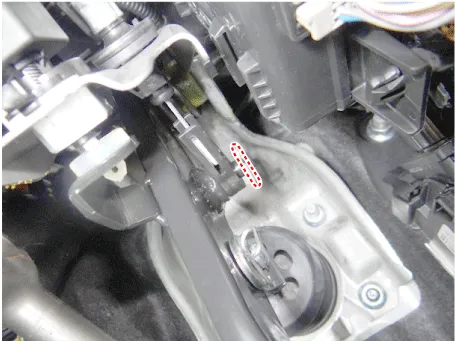
| 5. | Remove the cable pin from the brake pedal.
|
| 6. | Disconnect the clip from the brake pedal .
|
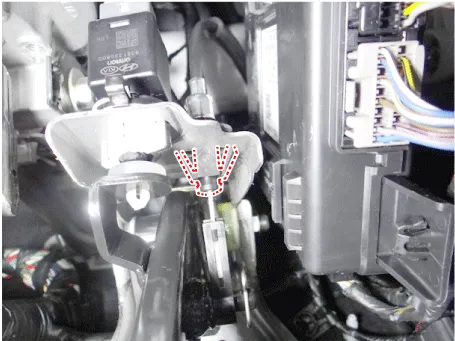
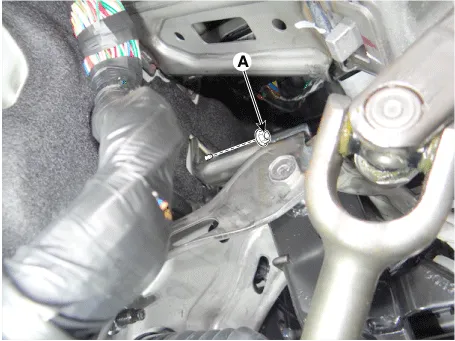
| 7. | Disconnect the stop lamp switch connector (A).
|

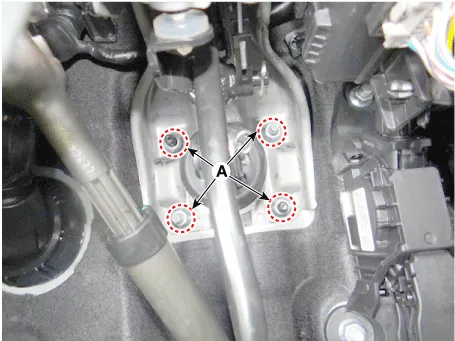
| 8. | Remove the brake pedal mounting nuts (A).
|
| Inspection |
| 1. | Check the bushing for wear. |
| 2. | Check the brake pedal for bending or twisting. |
| 3. | Check the brake pedal return spring for damage. |
| Installation |
| 1. | Install in the reverse order of removal |
Components and components location Components Repair procedures Removal 1.Remove the brake fluid level sensor connector. 2.Remove the brake fluid from the master cylinder reservoir with a syringe.
Components and components location Components 1. Guid bolt 2. Caliper body 3. Caliper member 4. Pad liner 5. Brake pad assembly [OUT] 6. Brake pad assembly [IN] 7.
Other information:
Kia Picanto (JA) 2017-2026 Service & Repair Manual: Headlamp Leveling System
C
Kia Picanto (JA) 2017-2026 Service & Repair Manual: Immobilizer System
Schematic diagrams Circuit Diaram Description and operation Description The immobilizer system will disable the vehicle unless the proper ignition key is used, in addition to the currently available anti-theft systems such as car alarms, the immobilizer system aims to drastically reduce the rate of auto theft.
Categories
- Manuals Home
- Kia Picanto Owners Manual
- Kia Picanto Service Manual
- Normal Condition
- Brake System
- Cylinder Head
- New on site
- Most important about car

Copyright © 2026 www.kpicanto.com - 0.0307