
Kia Picanto (JA): Instrument cluster / Instrument cluster control
Adjusting Instrument Cluster Illumination

WARNING
Never adjust the instrument cluster while driving. This could result in loss of control and lead to an accident that may cause death, serious injury, or property damage.
The brightness of the instrument panel illumination is changed by rotating the illumination control knob (“+” or “-”) when the ignition switch or Engine Start/Stop button is ON, or the tail lights are turned on.
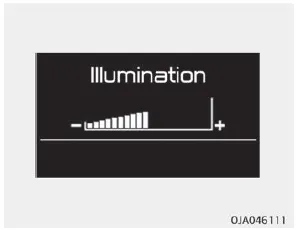
The brightness of the instrument panel illumination is displayed (Type B Cluster). If the brightness reaches to the maxi mum or minimum level, an alarm will sound (if equipped).
1. Tachometer 2. Speedometer 3. Engine coolant temperature gauge 4. Fuel gauge 5. Warning and indicator lights 6. LCD display ❈ The actual cluster in the vehicle may differ from the illustration.
The LCD Window modes can be changed by using the control buttons on the steering wheel. - Type A 1. TRIP : TRIP button for changing modes. 2.
Other information:
Kia Picanto (JA) 2017-2026 Service & Repair Manual: ESCL(Electronic Steering Column Lock)
Components and components location Component Repair procedures Removal 1.Disconnect the negative(-) battery terminal. 2.Remove the crash pad lower panel. (Refer to Body - "Crash Pad Lower Panel") 3.Remove the steering column upper and lower shrouds.
Kia Picanto (JA) 2017-2026 Service & Repair Manual: Parking Assist Sensor
Components and components location Components Repair procedures Removal 1.Disconnect the negative (-) battery terminal. 2.Remove the rear bumper assembly. (Refer to Body - "Rear Bumper Assembly") 3.Disconnect the connector (A) from the ultrasonic sensor.
Categories
- Manuals Home
- Kia Picanto Owners Manual
- Kia Picanto Service Manual
- Cylinder Head
- Fuel Delivery System
- Coolant
- New on site
- Most important about car
