
Kia Picanto (JA): ISG (Idle Stop & Go) System / ISG OFF switch
Components and components location
| Components |
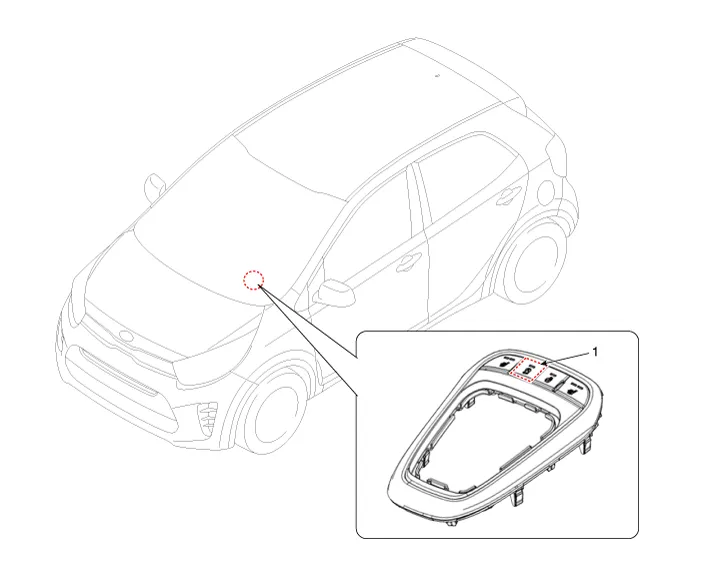
| 1. ISG OFF switch |
Description and operation
| Description |
Schematic diagrams
| Circuit Diagram |
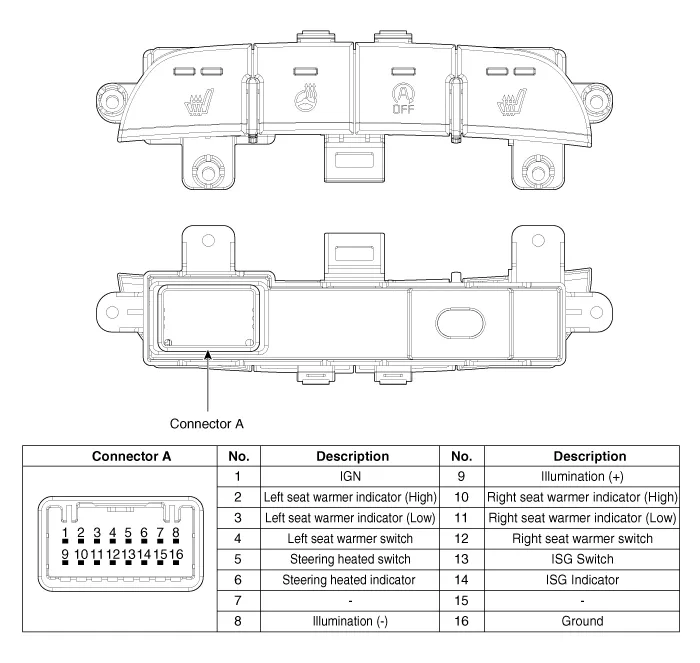
Repair procedures
| Removal |
| 1. | Turn ignition switch OFF and disconnect the battery negative (-) terminal. |
| 2. | Remove the knob (A) by pulling it in the direction of arrow. |
| 3. | Using a remover, remove the console indicator cover assembly (B).
|
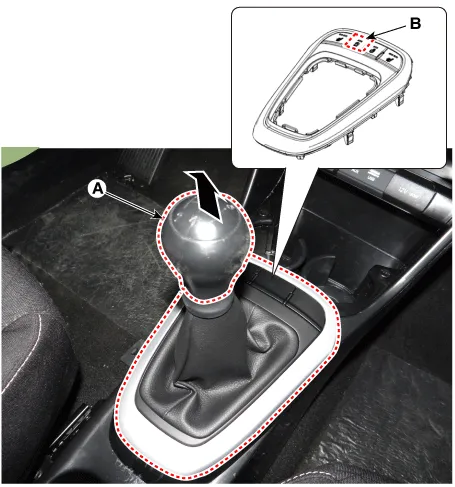
| 4. | Disconnect the connector (A) from the console indicator cover assembly.
|
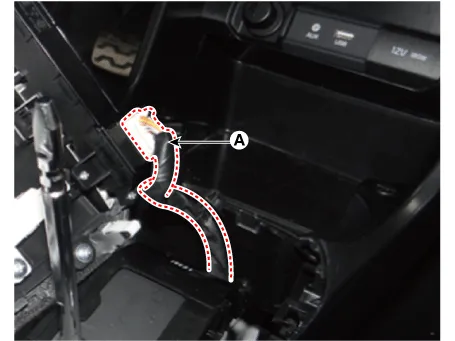
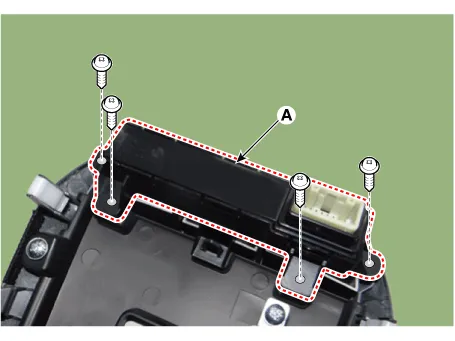
| 5. | Remove the console upper cover switch (A) after loosening the mounting screws.
|
| Installation |
| 1. | Install the console upper cover switch. |
| 2. | Connect the console indicator cover assembly connector. |
| 3. | Install the console indicator cover assembly. |
| 4. | Install the gear knob & gear boots. |
| 5. | Connect the negative (-) battery terminal. |
Description and operation Description Due to the considerably more frequent occurrence of starting operations, the electrical load that occurs often leads to voltage dips in the vehicle network.
Specifications Specification ▷ 13.5V, 130A [ISG only] Item Specification Rated voltage 13.
Other information:
Kia Picanto (JA) 2017-2026 Service & Repair Manual: ESCL(Electronic Steering Column Lock)
Components and components location Component Repair procedures Removal 1.Disconnect the negative(-) battery terminal. 2.Remove the crash pad lower panel. (Refer to Body - "Crash Pad Lower Panel") 3.Remove the steering column upper and lower shrouds.
Kia Picanto (JA) 2017-2026 Service & Repair Manual: Blower Resistor (Manual)
Repair procedures Inspection 1.Measure terminal - to - terminal resistance of blower resistor. 2.measured resistance is not within specification, the blower resistor must be replaced. (After removing the resistor) Replacement 1.Disconnect the negative (-) battery terminal.
Categories
- Manuals Home
- Kia Picanto Owners Manual
- Kia Picanto Service Manual
- Normal Condition
- Coolant
- Engine Control / Fuel System
- New on site
- Most important about car
