
Kia Picanto (JA): Emergency Call System / Emergency Call (eCall) Button
Components and components location
| Component |
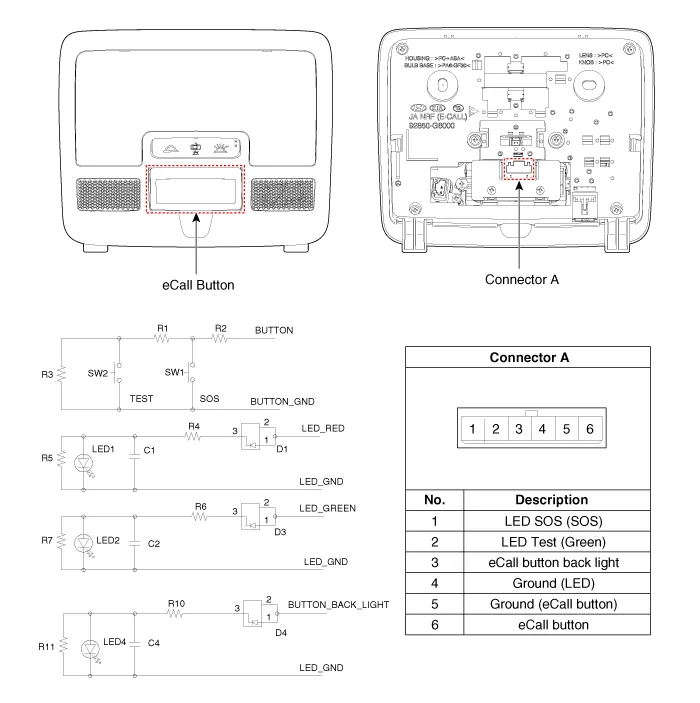
Repair procedures
| Removal |
| 1. | Disconnect the negative (-) battery terminal. |
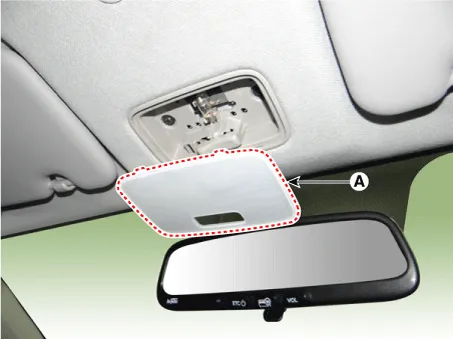
| 2. | Using a screwdriver or remover, separate the map lamp lens (A) from the map lamp.
|
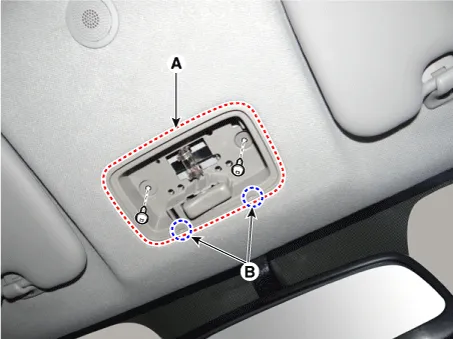
| 3. | Remove the map lamp (A) after loosening the screws.
|

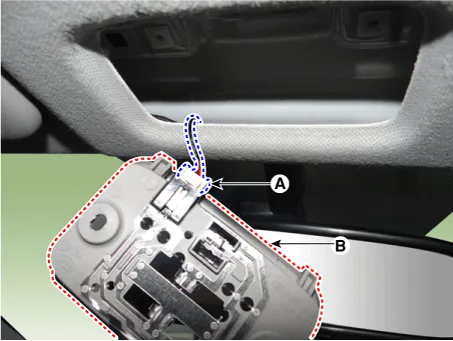
| 4. | Remove the map lamp assembly (B) after disconnecting the map lamp connector (A).
|
| 5. | Remove the map lamp cover (A) after loosening the mounting screws.
|
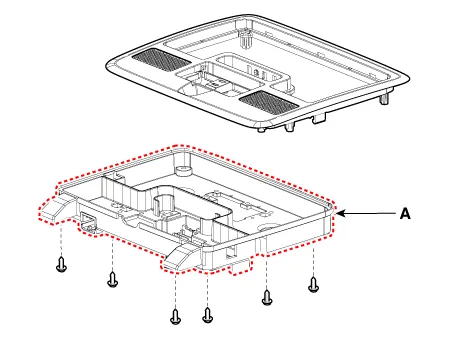
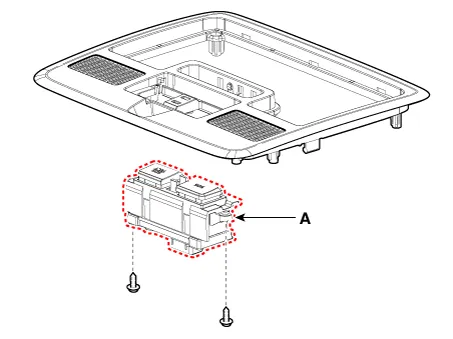
| 6. | Remove the eCall button (A) after loosening the mounting screws.
|
| Installation |
| 1. | Install the eCall button. |
| 2. | Install the map lamp cover. |
| 3. | Connect the map lamp connector. |
| 4. | Install the map lamp. |
| 5. | Install the map lamp lens. |
| 6. | Connect the negative (-) battery terminal. |
Components and components location Component The eCall unit for AVN is equipped in AVN head unit. Repair procedures Removal Carry out the Test Mode in the following cases.
Components and components location Component Location [Engine Room] 1. Engine room relay block [Interior Relay] 1. Interior junction block
Other information:
Kia Picanto (JA) 2017-2026 Service & Repair Manual: Front Fog Lamps
Repair procedures Removal 1.Disconnect the negative (-) battery terminal. 2.Remove the front bumper assembly. (Refer to Body - "Front Bumper Assembly") 3.Remove the front fog lamp assembly (A) after loosening the mounting screws.
Kia Picanto (JA) 2017-2026 Service & Repair Manual: Blower Resistor (Manual)
Repair procedures Inspection 1.Measure terminal - to - terminal resistance of blower resistor. 2.measured resistance is not within specification, the blower resistor must be replaced. (After removing the resistor) Replacement 1.Disconnect the negative (-) battery terminal.
Categories
- Manuals Home
- Kia Picanto Owners Manual
- Kia Picanto Service Manual
- Engine Control / Fuel System
- Cooling System
- Heating,Ventilation, Air Conditioning
- New on site
- Most important about car
